

As of 12 October 2026 Snipd runs on the iPhone and Apple Watch, makes its transcripts and AI summaries on its servers, and sells Premium at 6.99 US dollars a month for the AI features; its exports go to Notion, Readwise, Obsidian, Glasp, Bear, Logseq and Markdown. Macdio runs on iPhone, iPad, Mac, Apple TV, Apple Watch and CarPlay, makes transcripts on the device with nothing uploaded, sends highlights to Apple Notes, Notion, Obsidian, Bear, Craft and Readwise, and costs 14.99 US dollars once.
What people usually want when they search for this
An iPad or Mac app, because reading and marking a transcript is a bigger-screen job. Highlights in Apple Notes without a third-party bridge. And a price that does not renew. Those are the three things Macdio does differently; the rest of the idea, a moment saved with its words, is the same.
Six screens, not one
iPhone, iPad, Mac, Apple TV, Apple Watch and CarPlay in one purchase. Mark on the watch, read on the Mac, listen on the TV.
Transcripts on the device
Apple's speech recognition on your own iPhone, iPad or Mac; the audio never leaves it. How it works
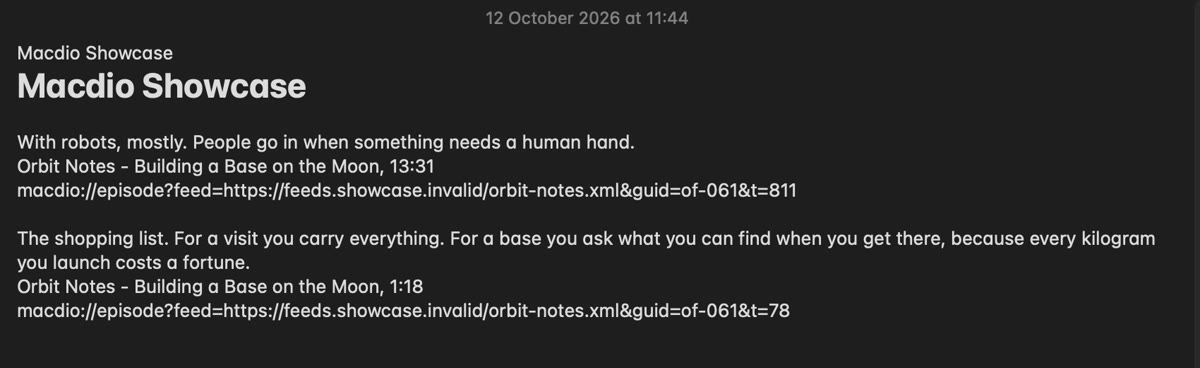
Highlights with the sentence
The second and the words spoken at it, to Apple Notes, Notion, Obsidian, Bear, Craft or Readwise, by button, Siri or watch. How it works
What Snipd does that Macdio does not
Snipd's AI suggests highlights on its own and writes notes for you; Macdio marks only what you mark, and its summaries and chapters come from Apple's language model, on the device or on Apple's Private Cloud Compute. Snipd exports to Glasp and Logseq and as Markdown files; Macdio sends to six apps and to the clipboard. Snipd has a free plan to try; Macdio is a purchase. If automatic AI snips are the reason you use Snipd, it keeps that edge.
Feature by feature
| Feature | Macdio | Snipd |
|---|---|---|
| iPhone | Yes | Yes |
| iPad and Mac apps | Yes | No |
| Apple TV | Yes | No |
| Apple Watch | Plays on its own | Yes |
| CarPlay | Yes | Yes |
| Transcripts | Made on your device | Made on Snipd's servers |
| Highlight carries the sentence | Yes | Yes |
| Apple Notes | Yes | Not stated |
| Obsidian, Notion, Readwise, Bear | Yes | Yes |
| Craft | Yes | Not stated |
| Glasp, Logseq, Markdown export | No | Yes |
| AI-suggested highlights | No | With Premium |
| Live radio in the same app | Yes | No |
| Account needed | No, iCloud | Yes |
| Price | 14.99 USD once | Free; Premium 6.99 USD a month |
Based on Snipd's own site and US App Store listing and on Macdio's code, read on 12 October 2026. "Not stated" means the page did not say, not that the feature is missing. Features and prices change; check the App Store for current details.
Moving over
Export an OPML file from Snipd and open it in Macdio; your shows come across. Existing snips stay in the notes apps you already sent them to, which is the point of sending them there.
One thing to know before you switch
Macdio is built for Apple devices only. iPhone, iPad, Mac, Apple TV, Apple Watch and CarPlay are covered by one purchase, and there is no Android or web version. If part of your listening happens somewhere else, this is not the app for you.
Common questions
Does Macdio run on the iPad and the Mac?
Can Macdio send highlights to Apple Notes?
Does Macdio suggest highlights with AI?
Are the transcripts made in the cloud?
Is there a free plan?
Try it
Macdio is on the App Store as a one-time purchase. The highlights page shows every destination with the steps to set it up.